
Apple has an iOS mode that allows you to lock the iPad to only run a single App. It is called Guided Access.
1) On the iPad, open iOS Settings by pressing the App icon that looks like the one shown below:

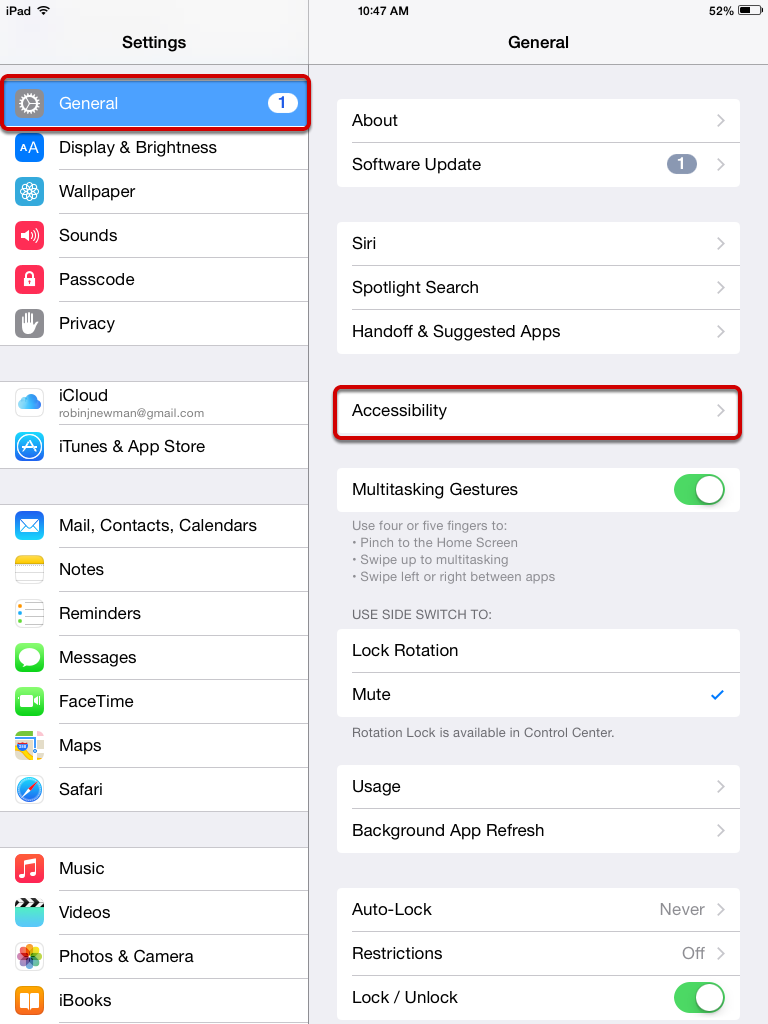
2) In iOS Settings, press on General in the listing along the left side.
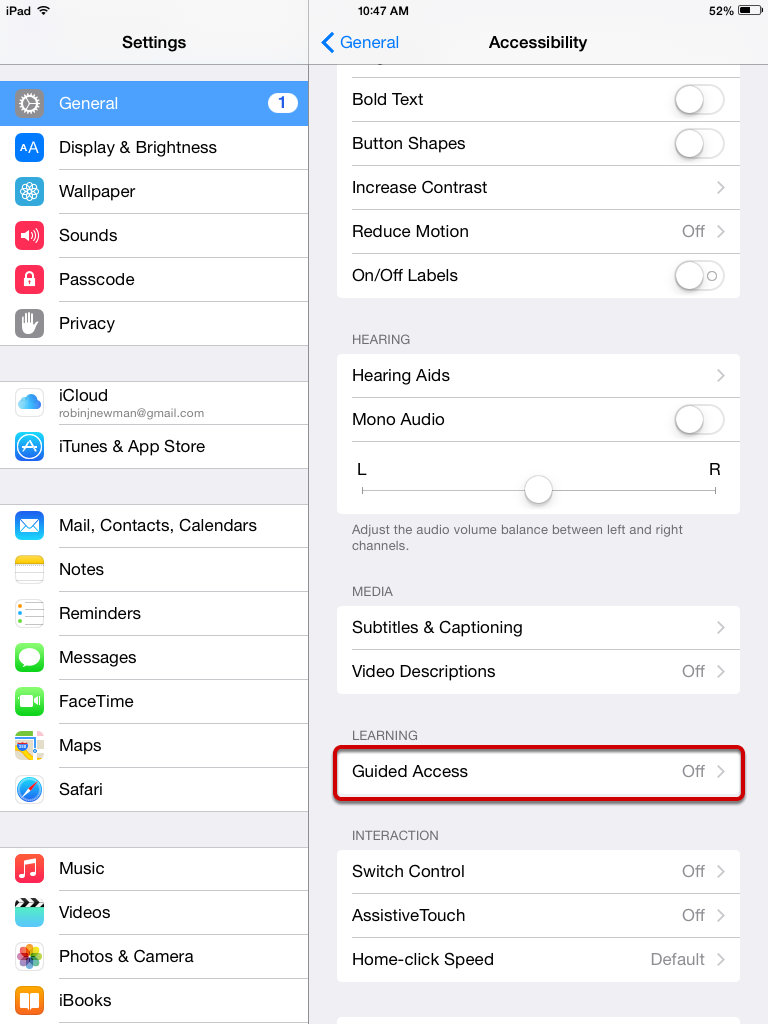
3) Select Accessibility.
4) Select Guided Access.
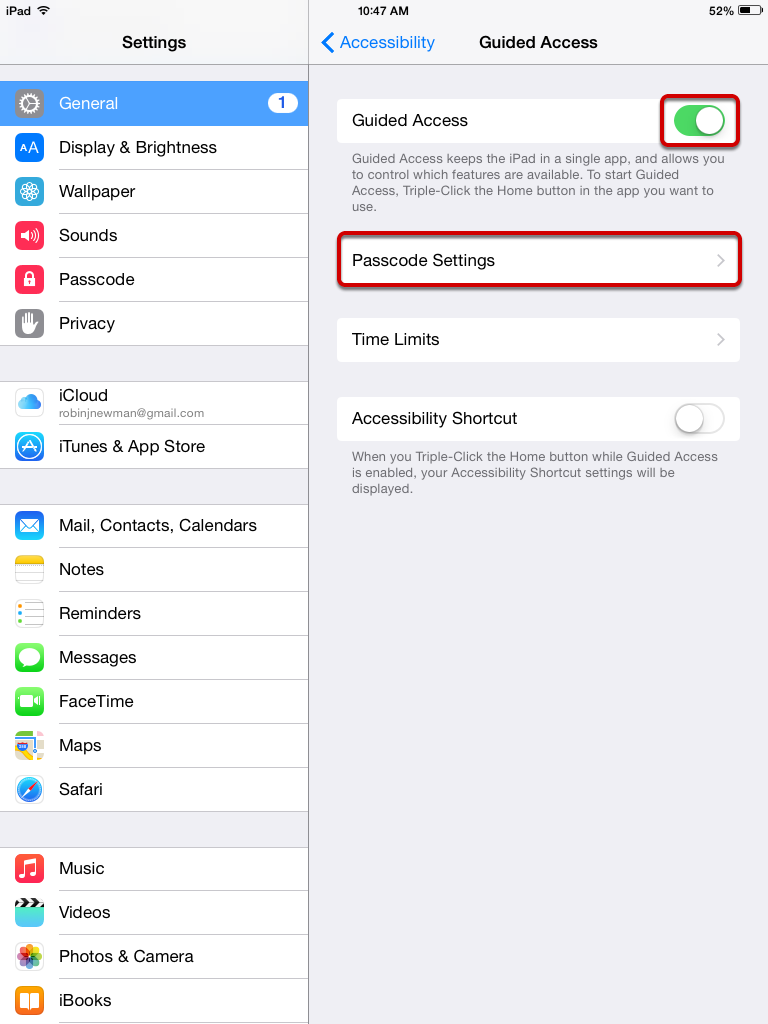
5) Turn Guided Access on (move slider until it shows green), then select Passcode Settings. You will be asked to enter your passcode twice.
6) Exit iOS settings and launch Deliver.
7) Once you are in Deliver, press the home button on the iPad three times to invoke the Accessibility menu.
8) Press “Start” at the upper-right corner.
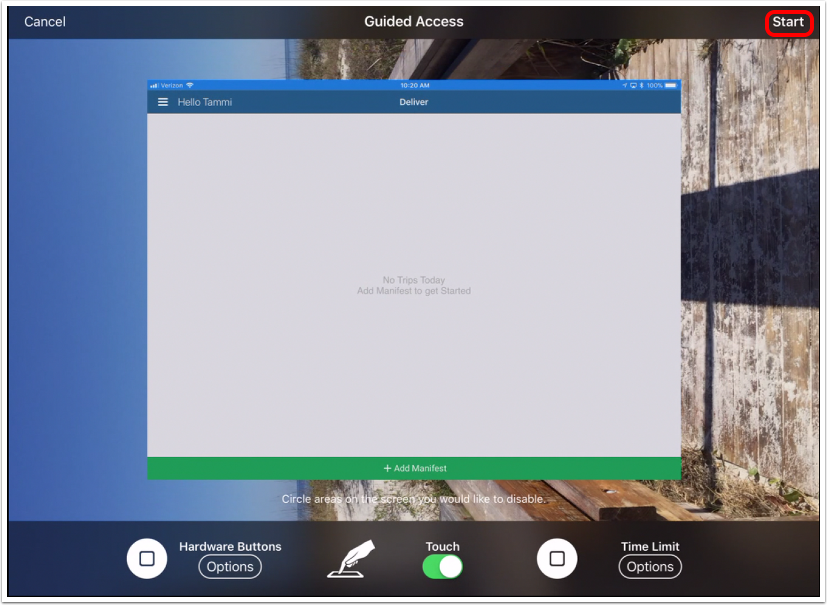
9) Guided access should now be enabled. If you press the home icon it will not leave the App.
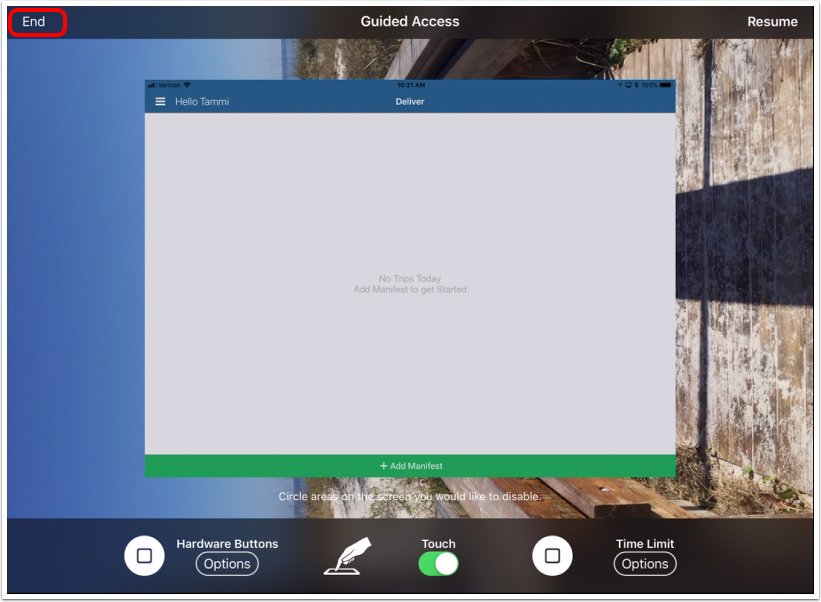
10) If you want to turn off Guided Access, simply triple-press the home button again and select “End” in the upper-left corner. The passcode window will appear. Once you enter your passcode, guided access will be disabled.
Comments
Please sign in to leave a comment.