
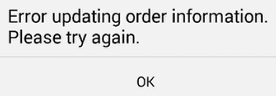
Android users who edit the header information in an OE Touch order may receive the message "Error updating order information. Please try again". This is due to their device lacking available storage space.
To fix this, the user should free up space on their device. We suggest they check their Downloads folder and delete any files they no longer need.
Once extra space is available, they can continue editing the header information and submit the order.
Comments
Please sign in to leave a comment.